basic VPS configuration
The following steps should work with any provider that supports cloud-init (Digital Ocean, Hetzner, Vultr, Linode, surely others).
My usual server is the smallest ARM VPS from Hetzner, with the following settings :
- Image : Debian 13
- Networking : IPv4, IPv6
- SSH Keys : not used, cloud-init removes ssh root access
- Firewall : ports 22, 80 & 443 minimum, add 51820 if you plan on using Wireguard.
cloud-init configuration
My go-to script for Debian servers is hereunder with some options.
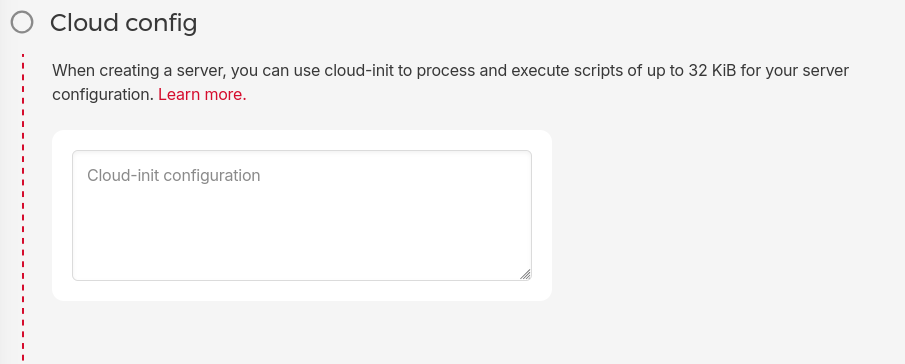
The way this works is : you copy the script during server creation, and it runs it at first boot. Make sure to update your variables (see the variable handling page).
minimal install
Does the following :
- Creates a user with
sudorights - Sets a password and a SSH key for said user
- Setups fail2ban
- Hardens SSH
- Prevents root and password login
- Adds the Helix editor You can also use nano
environment variables
CLOUD_INIT_TIMEZONE='timezone, example Europe/Berlin'
CLOUD_INIT_USERNAME='username for the sudo user'
CLOUD_INIT_PASSWORD='hashed password, using the following command : mkpasswd -m sha-512'
CLOUD_INIT_SSH_PUBLIC_KEY='the PUBLIC ssh key (ED25519 recommended)'
cloud-init script
#cloud-config

timezone: $CLOUD_INIT_TIMEZONE
users:
  - name: $CLOUD_INIT_USERNAME
    passwd: $CLOUD_INIT_PASSWORD
    ssh_authorized_keys:
      - $CLOUD_INIT_SSH_PUBLIC_KEY
    groups: sudo #if passwordless : add wheel
    shell: /bin/bash
    lock_passwd: false
packages:
  - fail2ban
  - python3-systemd
  - hx #adds the Helix editor, not needed for this config to work
package_update: true
package_upgrade: true
write_files:
- content: |
    [sshd]
    backend = systemd
    enabled = true
    banaction = iptables-multiport
  path: /etc/fail2ban/jail.local
runcmd:
  - service fail2ban enable
  - sed -i -r 's/^#?PermitRootLogin.*$/PermitRootLogin no/' /etc/ssh/sshd_config
  - sed -i -r 's/^#?PasswordAuthentication.*$/PasswordAuthentication no/' /etc/ssh/sshd_config
  - sed -i -r 's/^#?PermitEmptyPasswords.*$/PermitEmptyPasswords no/' /etc/ssh/sshd_config
  - sed -i -r 's/^#?PubkeyAuthentication.*$/PubkeyAuthentication yes/' /etc/ssh/sshd_config
  - sed -i -r 's/^#?StrictModes.*$/StrictModes yes/' /etc/ssh/sshd_config
  - sed -i -r 's/^#?MaxAuthTries.*$/MaxAuthTries 2/' /etc/ssh/sshd_config
  - sed -i -r 's/^#?StrictModes.*$/StrictModes yes/' /etc/ssh/sshd_config
  - sed -i -r 's/^#?UsePAM.*$/UsePAM no/' /etc/ssh/sshd_config
  - sed -i -r 's/^#?X11Forwarding.*$/X11Forwarding no/' /etc/ssh/sshd_config
  - sed -i -r 's/^#?AllowAgentForwarding.*$/AllowAgentForwarding no/' /etc/ssh/sshd_config
  - sed -i -r 's/^#?AllowTcpForwarding.*$/AllowTcpForwarding no/' /etc/ssh/sshd_config
  - service sshd restart
passwordless sudo
If you want to prevent the sudo prompt for password (not recommended), add the user to the group wheel in addition to the group sudo (leave a blank space between the groups : sudo wheel). Then add the following line at the end of the config script :
- sed -i -e '$a%wheel ALL=(ALL) NOPASSWD: ALL' /etc/sudoers
restrict ssh to one user or more
add the following line just before the - service sshd restart :
- sed -i '$a AllowUsers $CLOUD_INIT_USERNAME' /etc/ssh/sshd_config
If you want to add more than one user, separate them with a space, as such : AllowUsers Bob Alice
install docker
add the following lines at the end of the config file :
  - install -m 0755 -d /etc/apt/keyrings
  - curl -fsSL https://download.docker.com/linux/debian/gpg -o /etc/apt/keyrings/docker.asc
  - chmod a+r /etc/apt/keyrings/docker.asc
  - echo "deb [arch=$(dpkg --print-architecture) signed-by=/etc/apt/keyrings/docker.asc] https://download.docker.com/linux/debian $(. /etc/os-release && echo "$VERSION_CODENAME") stable" | tee /etc/apt/sources.list.d/docker.list > /dev/null
  - apt update
  - apt install docker-ce docker-ce-cli containerd.io docker-buildx-plugin docker-compose-plugin